
Your Complete 2026 Guide to Home Automation
Learn how to build a smarter home in 2026 — platform selection, room-by-room setup, essential automations, security tips, and budgeting advice. Your step-by-step blueprint
SMART HOME
4/27/20266 min read
Understanding Home Automation
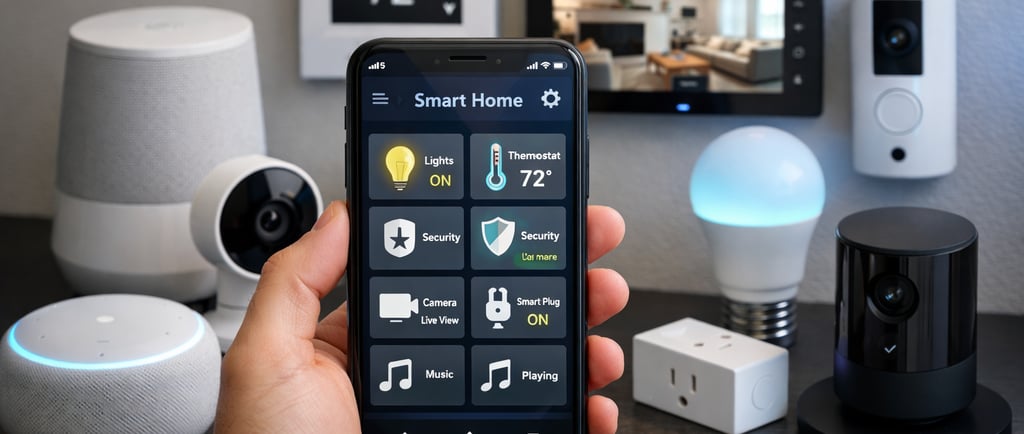
As technology progresses, the idea of home automation has captured significant interest from both homeowners and renters. By incorporating smart technology into your home, you can improve convenience, security, and energy efficiency. This guide provides a thorough overview of how to effectively approach home automation in 2026, establishing the groundwork for a more advanced living environment.
Choosing the Right Smart Home Platform
The cornerstone of a successful home automation system is selecting the appropriate smart home platform. Choices vary greatly, encompassing well-known systems such as Amazon Alexa, Google Home, and Apple HomeKit. Your selection should be based on various factors including device compatibility, ease of use, and available features. Investigating the main characteristics of each platform can aid in your decision-making. Additionally, it's important to think about long-term accessibility, as technology evolves rapidly.
Room-by-Room Setup for Optimal Automation
The subsequent step is to devise your room-by-room automation plan. Start in high-traffic areas, such as the living room or kitchen. Smart lighting switches, climate controls, and voice-activated assistants can greatly enhance your experience. Gradually incorporate technology into bedrooms and bathrooms using smart locks, security cameras, or automated shades. It’s essential that devices within a single room can interact seamlessly for a cohesive system. Be strategic with placements and consider user experience as you create your individual room setups.
Essential Automations and Security Considerations
When building your home automation system, certain automations are crucial for improving efficiency and security. For example, think about programming smart lights to activate and deactivate automatically according to your schedule or movement within the house. Security is another vital aspect, as incorporating motion sensors, security cameras, and smart alarms can provide peace of mind. Ensure to take steps that protect your network’s security, since smart devices can be susceptible to cyber threats. Utilizing strong passwords, regularly updating software, and applying network encryption are important practices.
Budgeting for Your Smart Home
Finally, budgeting for home automation is a crucial part of the planning phase. While it can be tempting to purchase the latest gadgets, it’s wise to assess your budget first. Focus on essential smart devices based on your immediate requirements and expand gradually. Look for bundled deals or discounted packages available from retailers to increase savings. Explore financing options or energy billing programs that might fit into your plan.
Conclusion
In conclusion, 2026 offers a tremendous opportunity to fully embrace home automation. From selecting the right platform to setting up individual rooms and budgeting, each step is critical to creating a smarter living space. Take time to comprehend your options, devise a plan, and observe as your home evolves into a center of convenience and innovation. Begin constructing a smarter home today!
Introduction — Why Home Automation Matters in 2026
Your home is your most significant investment. It should also be the most intelligent. Home automation — connecting everyday devices to a central system, allowing them to communicate, respond to triggers, and be controlled remotely — has shifted from a luxury trend to an attainable, practical upgrade for any homeowner. In 2026, the technology is more reliable, affordable, and interoperable than ever before.
This is not merely about equipping your house with gadgets for no reason. A well-crafted smart home can save you money on energy bills, enhance your family's safety, and quietly take over numerous minor tasks that you currently handle manually — such as adjusting the thermostat when leaving for work or turning off the lights that your children left on (again).
Who This Guide Is For
This guide is intended for three types of readers:
Beginners who have never purchased a smart home device and seek guidance on where to begin without wasting money.
Upgraders who already possess a few smart devices but desire a unified system that functions harmoniously.
DIY enthusiasts eager to dive deep — creating automations, optimizing networks, and extracting maximum value from their setup.
By the end of this guide, you will know how to select a platform, outfit each room, create automations that manage your home autonomously, securely protect your system, and budget for the entire project whether you have $200 or $5,000 to allocate.
The Smart Home Ecosystem in 2026
Key technologies you will discover throughout this guide:
Matter (v1.5) A universal standard enabling devices from various brands to operate across Alexa, Google Home, Apple HomeKit, and SmartThings. Elimination of vendor lock-in.
Thread A low-power IPv6 mesh protocol. The more Thread devices you add, the stronger your network becomes.
Wi-Fi 6E / Wi-Fi 7 Essential for homes with over 30 connected devices. Wi-Fi 7 routers are now broadly accessible.
Zigbee A well-established low-power mesh protocol featuring a vast library of devices, supported by SmartThings and Home Assistant.
Z-Wave A dedicated sub-GHz mesh protocol with minimal interference, ideal for security devices and locks.
Laying the Foundation: Choosing Your Smart Home Platform
Your platform acts as the brain of your smart home. Choosing wisely at the outset can save you from awkward migrations in the future.
Platform Comparison
Amazon Alexa The largest device ecosystem. Supports Matter, Zigbee (built-in on Echo hubs), and Wi-Fi. Simple to use. Best suited for voice-focused users.
Google Home Provides tight integration with Android and Nest devices. Supports Matter, Thread, and Wi-Fi. User-friendly.
Apple HomeKit Ideal for all-Apple households that prioritize privacy. Supports Matter, Thread, and Wi-Fi.
Samsung SmartThings Offers broadest protocol coverage (Matter, Thread, Zigbee, Z-Wave, Wi-Fi). Compatible with Alexa and Google. Moderate learning curve.
Home Assistant Open-source with local processing and over 2,000 integrations. Maximum control for power users. Advanced system.
How to Choose
Consider three questions: What phone do you use? (iPhone → HomeKit; Android → Google; mixed → Alexa or SmartThings.) How technical are you? (Prefer simplicity → Alexa/Google/Apple; want complete control → Home Assistant.) What devices do you already own? Build on your existing ecosystem instead of starting anew.
The Matter Standard
Using Matter makes your platform choice less binding. A Matter-certified device works with Alexa today and HomeKit tomorrow no new hardware necessary. Look for the Matter logo on the packaging.
Networking Foundation
Upgrade your router to Wi-Fi 6E or Wi-Fi 7 mesh if it is older than 3–4 years.
Implement a mesh system (2–3 nodes) to eliminate dead zones in larger homes.
Create a dedicated IoT network (separate SSID or VLAN) to isolate smart devices from personal computers.
Hardwire your hub, Thread border routers, and cameras via Ethernet whenever feasible.
Room-by-Room Smart Home Guide
Develop your smart home room by room. Each space has unique priorities. Start with rooms where you invest the most time.
Living Room
Smart lighting Utilize smart switches (best long-term option) or bulbs to create adjustable ambiance. Use LED strips behind the TV for accent lighting.
Entertainment Create routines that dim lights and set the mood with one voice command. Smart speakers can function as music players and voice hubs.
Kitchen
Smart display A countertop command center for recipes, timers, and hands-free device control.
Smart plugs Schedule coffee makers and slow cookers. Never automate unattended heating devices.
Water leak sensors Place them under sinks and near dishwashers. A $20 sensor can prevent thousands in damages.
Bedroom
Sleep-schedule lighting Dim to warm tones at 9 PM, gradually brighten as a morning alarm.
Smart blinds Motorized shades that open with your alarm. Many of them now support Matter.
Bathroom
Humidity-triggered exhaust fan Automatically operates during showers to avoid mold buildup.
Motion-sensor nightlight Soft light for late-night visits without blinding overhead fixtures.
Water leak detectors Install them behind the toilet and near the tub.
Home Office
Tunable white lights (4000K–5000K) Present a professional appearance during video calls. Set a "Meeting Mode" scene.
Smart plugs Cut standby power to monitors and equipment at the end of the workday.
Garage
Smart garage door opener Receive alerts if left open; close remotely or via geofence.
Camera plus environmental sensors Monitor deliveries, vehicles, temperature (freeze alerts), and CO levels.
Outdoor and Yard
Smart irrigation Weather-aware controllers skip watering when rain is anticipated. It pays for itself in one season.
Outdoor cameras plus motion floodlights Monitor driveways, backyards, and gates. Look for local storage solutions.
Smart locks for gates Use an app or keypad for entry; grant temporary codes to contractors and dog walkers.
Essential Automations and Routines
An automation follows a straightforward rule: trigger → condition → action. Every major platform supports these.
Beginner Automations
Lights on at sunset Porch and living room lights activate automatically.
Good morning Alarm initiates gradual lighting, coffee maker, and weather briefing.
Away mode When everyone leaves → lock doors, set eco thermostat, arm cameras.
Bedtime "Good night" command locks doors, turns off lights, and sets sleep temperature.
Intermediate Automations
Presence-based climate Motion sensors adjust heating/cooling for each room, saving 15–25% on energy costs.
Night security Motion detected at the front door after midnight triggers floodlights, recording, and a phone alert.
Vampire power cut Smart plugs eliminate standby power to entertainment and office equipment overnight.
Advanced Automations
Multi-sensor logic Integrate humidity, temperature, and contact sensors to activate dehumidifiers or provide alerts.
Geofencing sequences Approaching home prompts pre-heating, door unlocking, lights activation, and garage opening.
Calendar plus weather integration An early meeting tomorrow adjusts your morning routine. A freeze forecast triggers alerts for plant coverings.
10 Must-Have Automations
Sunrise Wake-Up Alarm starts gradual lighting, opens blinds, and brews coffee. Beginner.
Goodbye Lock-Up Last person leaves → locks doors, arms cameras, and sets eco thermostat. Beginner.
Welcome Home First person arrives → unlocks door, turns on lights, and adjusts thermostat to comfort level. Beginner.
Bedtime Wind-Down Voice command or time → turns off lights, locks doors, and arms the alarm. Beginner.
Leak Alert Water sensor triggers a push alert and flashes smart lights red. Beginner.
Movie Night Voice command dims lights and adjusts soundbar to surround settings. Beginner.
Occupied Room Heating Motion sensor modifies zone thermostat; returns to default after 30 minutes of inactivity. Intermediate.
Night Intruder Deterrent Outdoor motion detected between 12 and 6 AM activates floodlights, camera, and phone alerts. Intermediate.
Smart Irrigation Skip Rain forecast greater than 60% cancels watering cycle. Intermediate.
Freeze Protection Outdoor temperatures dropping below 0°C trigger an alert, garage heater activation, and a reminder to cover plants. Advanced
Contact
Get in touch for questions or collaborations.
Founder : A Chandra
Phone : +1-647-916-5573
Email: contact@smarteryouu.com
© 2026 Smarteryouu. All rights reserved. Some images on this site are AI-generated for illustrative purposes